Make the work clearer
Turn recognized teamwork into strategies, workflows, responsibilities, agreements, and shared practices people can understand and use.
Teamwork Applications in DC
Teamwork Applications turn recognizable teamwork into practical ways to communicate, plan, organize, administer, preserve, and coordinate shared work across DC.
Practical forms for Required Teamwork
It can be a Check, Strategy, Resource, Assistant, Tool, Record, Workflow, App, or System that makes the teamwork a Team already needs easier to recognize, use, and continue.
What Teamwork Applications can do
Begin with recognizable work. Then find a practical form that can make it clearer, more usable, and easier to continue.
Turn recognized teamwork into strategies, workflows, responsibilities, agreements, and shared practices people can understand and use.
Keep Decisions, Needs, Offerings, Events, Tasks, resources, responsibilities, and recurring work recognizable.
Use practical tools organized around the teamwork the Team actually needs to perform.
Help work continue across meetings, changing responsibilities, changing people, scattered information, and changing Conditions.
Help people see what is happening, what has been decided, what is needed, what is offered, and what comes next.
Turn recognized teamwork into durable records and resources while the Team chooses what should carry forward.
Recognize first → Structure second → Preserve what the Team chooses
Explore Teamwork Applications
These are six featured examples within a broader collection of 18 Teamwork Applications.
Seeing and discussing current strengths, concerns, Needs, experiences, and open questions.
Who it can helpTeams reflecting together before deciding what should happen next.
Seeing how a subject’s own language expresses Players, Practice, Offense, and Defense.
Who it can helpTeams working with familiar sources, standards, topics, documents, or ideas.
Keeping Decisions, Needs, Offerings, Events, and Tasks visible and connected.
Who it can helpTeams coordinating important information, responsibilities, participation, and follow-through.
Helping a Team learn, prepare, and build Capacity for the work ahead.
Who it can helpTeams, facilitators, educators, and participants preparing to work together.
Exploring Unrecognized Teamwork Cost, improvement, implementation cost, benefit, and net value.
Who it can helpTeams comparing the potential value and cost of practical improvements.
Comparing multiple sources across Players, Practice, Offense, and Defense.
Who it can helpTeams exploring source language, standards, fields, roles, or familiar subjects.
Start with the Need
Explore through the work the Team recognizes. The Need can lead to an existing Application, an adaptation, or something that still needs development.
One featured Application
The Teamwork App is one Teamwork Application: a shared workspace for keeping Decisions, Needs, Offerings, Events, and Work visible and connected.
Sample interface shown for illustration.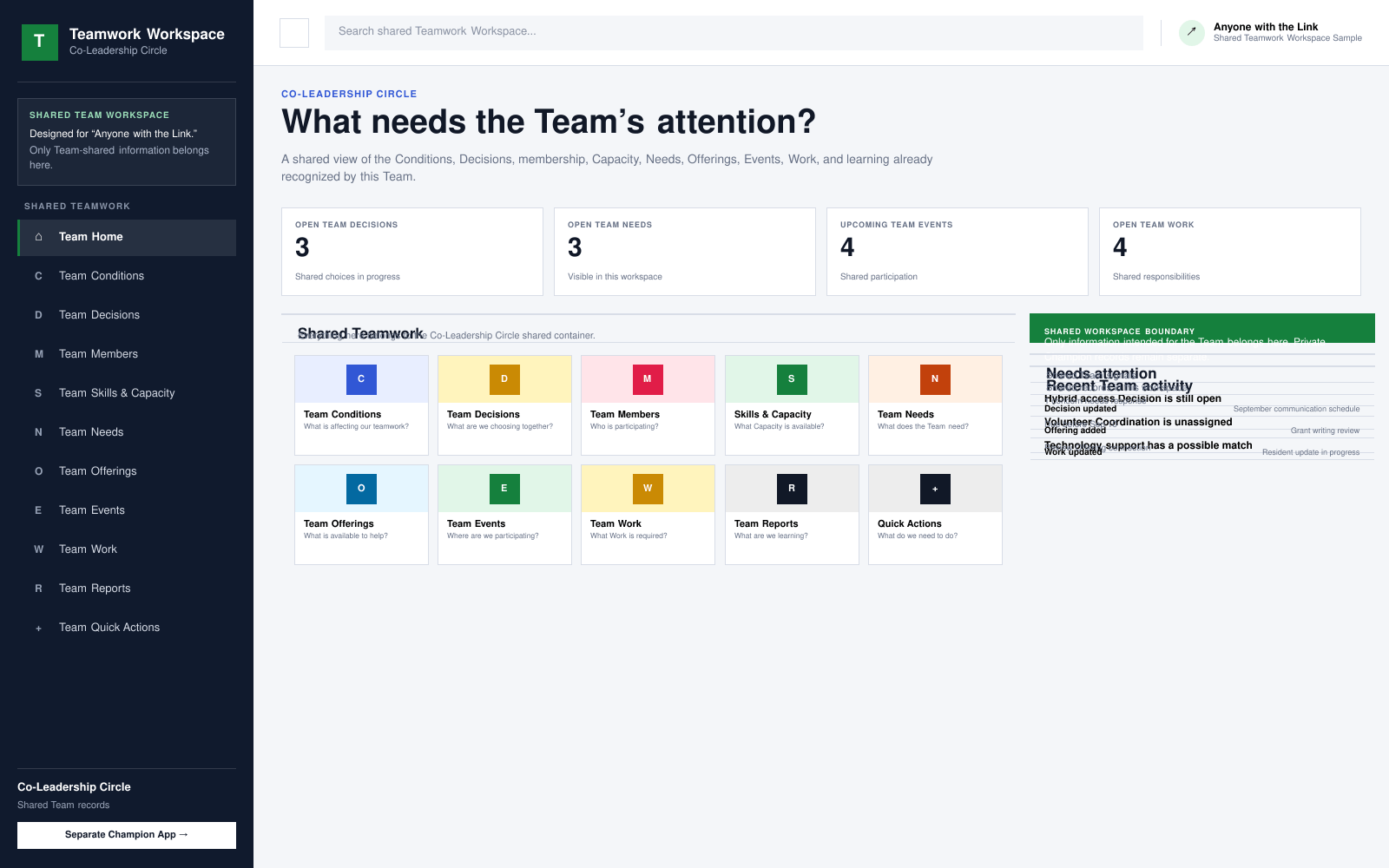
A shared view of the Conditions, Decisions, membership, Capacity, Needs, Offerings, Events, Work, and learning recognized by a Team.
Customized Applications
Sometimes an existing Teamwork Application fits. Sometimes something needs to be adapted, combined, or developed around what the Team is already trying to accomplish.
Applications create experience
When a Team uses an Application, it can learn more about the teamwork. What works, what changes, and what remains unresolved create New Conditions.
Administration helps Teams make the Coordination required for continuing teamwork understandable and dependable.
Defense → Administration → Coordination → AlignmentContinue where useful
DC Teams can begin with a practical Need, an existing Application, or work that needs a more useful form.